
Website monitor
One per HTTPS domain on an application or compose stack. Wildcard domains and preview-deployment domains are skipped. If you set a path to check, it is added to each domain.
Connect Uptimely to Dokploy Community Edition once, then add uptime, SSL certificate and domain monitors to any application, compose stack or database from its Monitoring tab, and watch the 30-day timeline without leaving Dokploy.
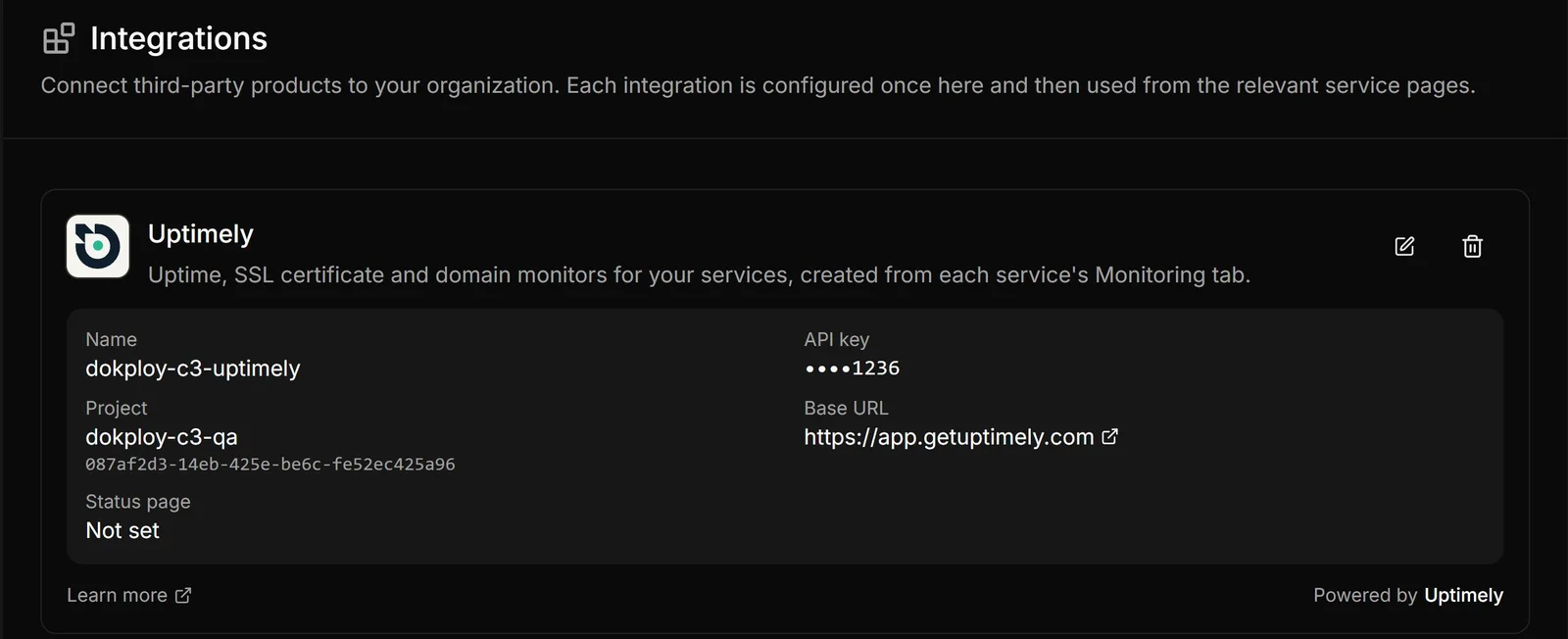
In Dokploy Community, open Settings → Integrations and press Connect Uptimely. Paste a project API key and the project ID (Test connection can fill the ID in for you). The Base URL already points at Uptimely. An optional status page slug shows a public status badge on each monitored service.
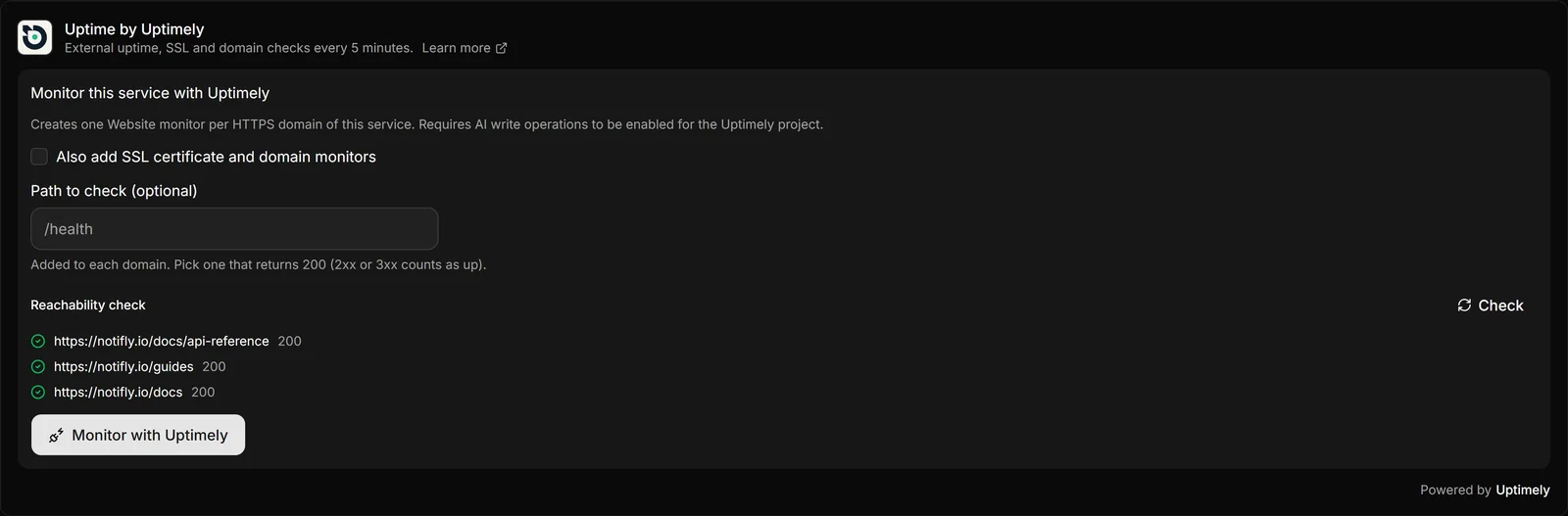
Open an application, compose stack or database and go to its Monitoring tab. The Uptime by Uptimely panel is opt-in: nothing is created until you press Monitor with Uptimely. You can add a path such as /health, and a reachability check shows each URL's HTTP status first.
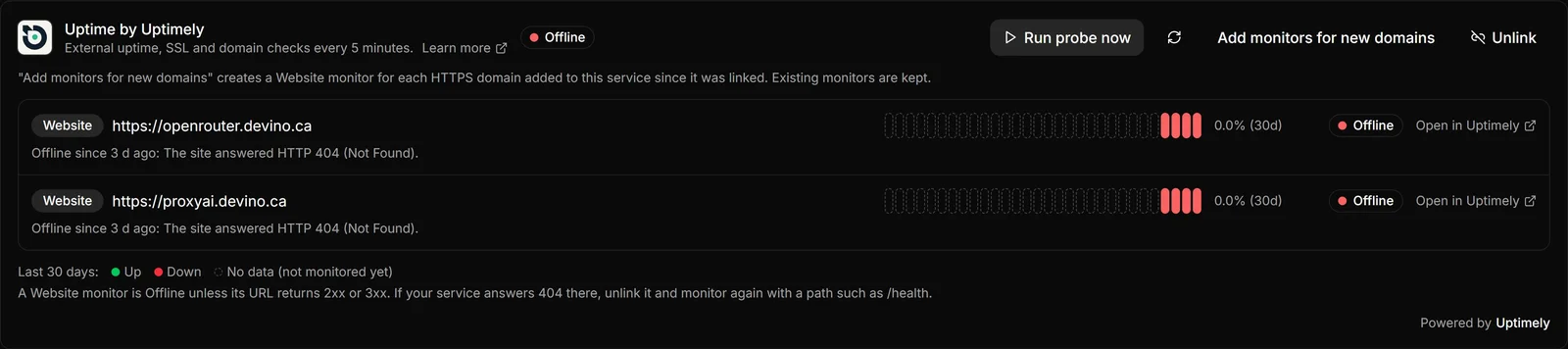
The same panel then shows a status pill and a 30-day timeline for every monitor, with an Open in Uptimely link on each one. Uptimely checks every 5 minutes from outside your server.

One per HTTPS domain on an application or compose stack. Wildcard domains and preview-deployment domains are skipped. If you set a path to check, it is added to each domain.
Optional. Tick Also add SSL certificate and domain monitors and each distinct HTTPS host gets one.
Optional, from the same checkbox: one per distinct HTTPS host, tracking the domain registration.
Databases get one on their external port. Expose the database on an external port first, or there is nothing to monitor.
Uptimely checks the exact URL, so a path that answers 404 shows as Offline even when the rest of the site is up. This is what that looks like, and why the form has an optional Path to check.
Dokploy Community Edition does, through this integration. Connect Uptimely once under Settings → Integrations and every application, compose stack or database gets an opt-in Uptime by Uptimely panel on its Monitoring tab. Stock Dokploy does not include it.
Press Monitor with Uptimely on a service and it creates one Website monitor per HTTPS domain. An optional checkbox adds an SSL certificate monitor and a Domain monitor for each host, and a database gets a Port monitor on its external port. Nothing is created until you press the button, and a monitor that already exists for the same target is not created twice.
Uptimely checks the exact URL, which is the domain's host plus its path. A Website monitor is Offline unless that URL answers 2xx or 3xx, so a root path that returns 404 shows as Offline even when the rest of the site is fine. Unlink the service and monitor it again with a Path to check such as /health. The reachability check shows each URL's HTTP status before you create anything.
Check that the API key belongs to the project you linked and that the project has not reached its plan's monitor limit. Reading status works either way.
No. Uptimely's API has no monitor delete, so Dokploy cannot remove them. Unlink only makes Dokploy forget the monitors for that service, and disconnecting the integration removes the stored API key and every link. In both cases the monitors keep running in Uptimely until you delete them there.
Not per Dokploy organization. Each organization connects one Uptimely project, using a project API key that is locked to that project.
Full setup guide · Dokploy Community on GitHub · All Uptimely integrations